> ## Documentation Index
> Fetch the complete documentation index at: https://platform.minimax.io/docs/llms.txt
> Use this file to discover all available pages before exploring further.
# Mini-Agent
> Mini-Agent is a minimalist yet professional project that demonstrates best practices for building Agents using MiniMax M3. The project is fully compatible with the Anthropic API and supports interleaved thinking, unlocking the model's powerful reasoning capabilities for long and complex tasks.
View GitHub Repository
## Core Features
* **Complete Agent Execution Loop**: A robust execution framework with built-in tools for file system and shell operations
* **Persistent Memory**: Through the built-in Session Note Tool, the Agent can retain key information across multiple sessions
* **Intelligent Context Management**: Automatically summarizes conversation history, handling configurable token limits for unlimited task lengths
* **Integrated Claude Skills**: 15 built-in professional skills covering document processing, design, testing, and development
* **Integrated MCP Tools**: Native support for MCP protocol, easily connecting to knowledge graphs, web search, and other tools
* **Comprehensive Logging**: Detailed logs for every request, response, and tool execution for easy debugging
* **Clean Design**: Beautiful command-line interface and easy-to-understand codebase, making it an ideal starting point for building advanced Agents
***
## Usage Examples
### Task Execution
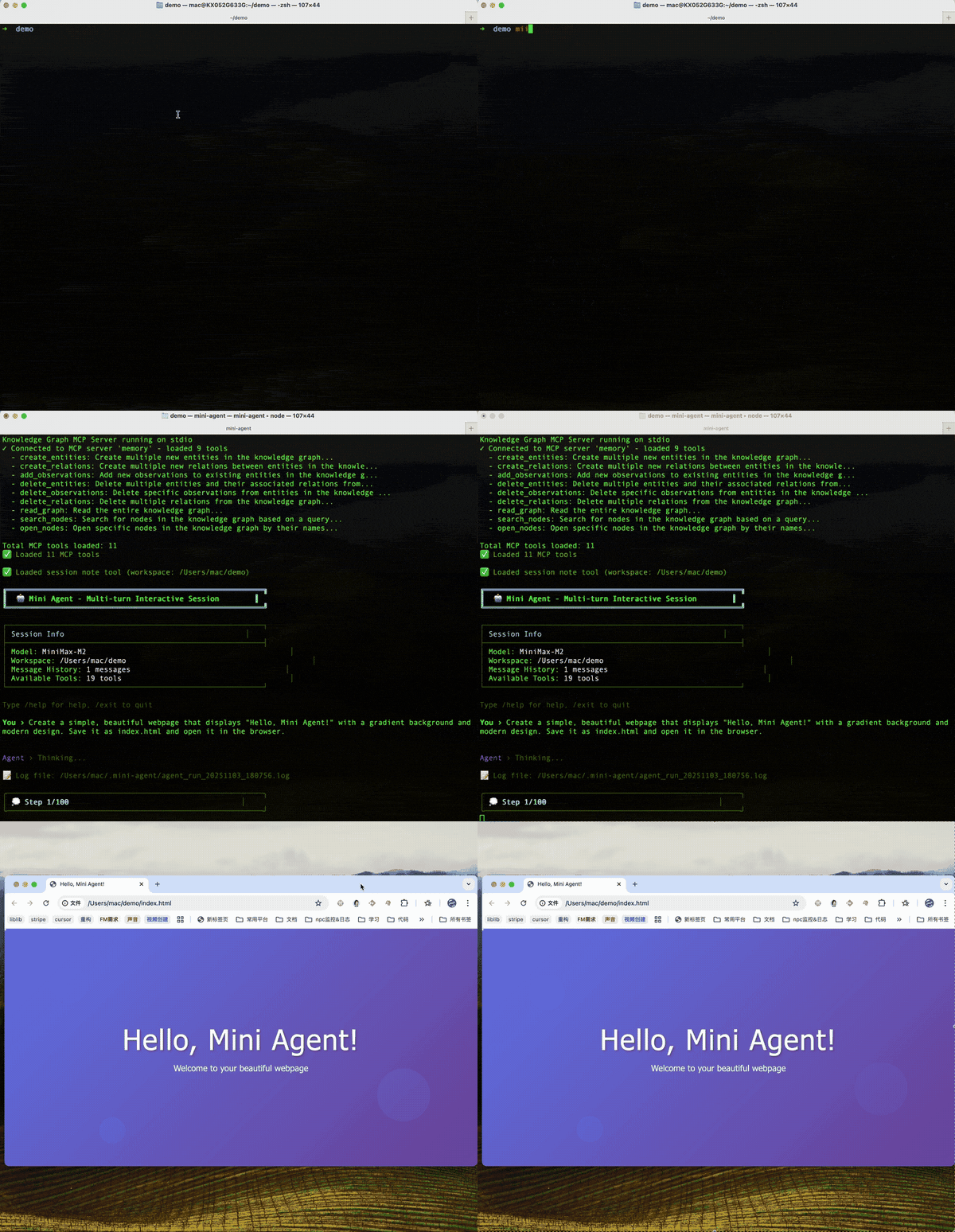
Ask the Agent to create a clean and beautiful webpage and display it in the browser, demonstrating the basic tool usage loop.
### Using Claude Skill (e.g., PDF Generation)
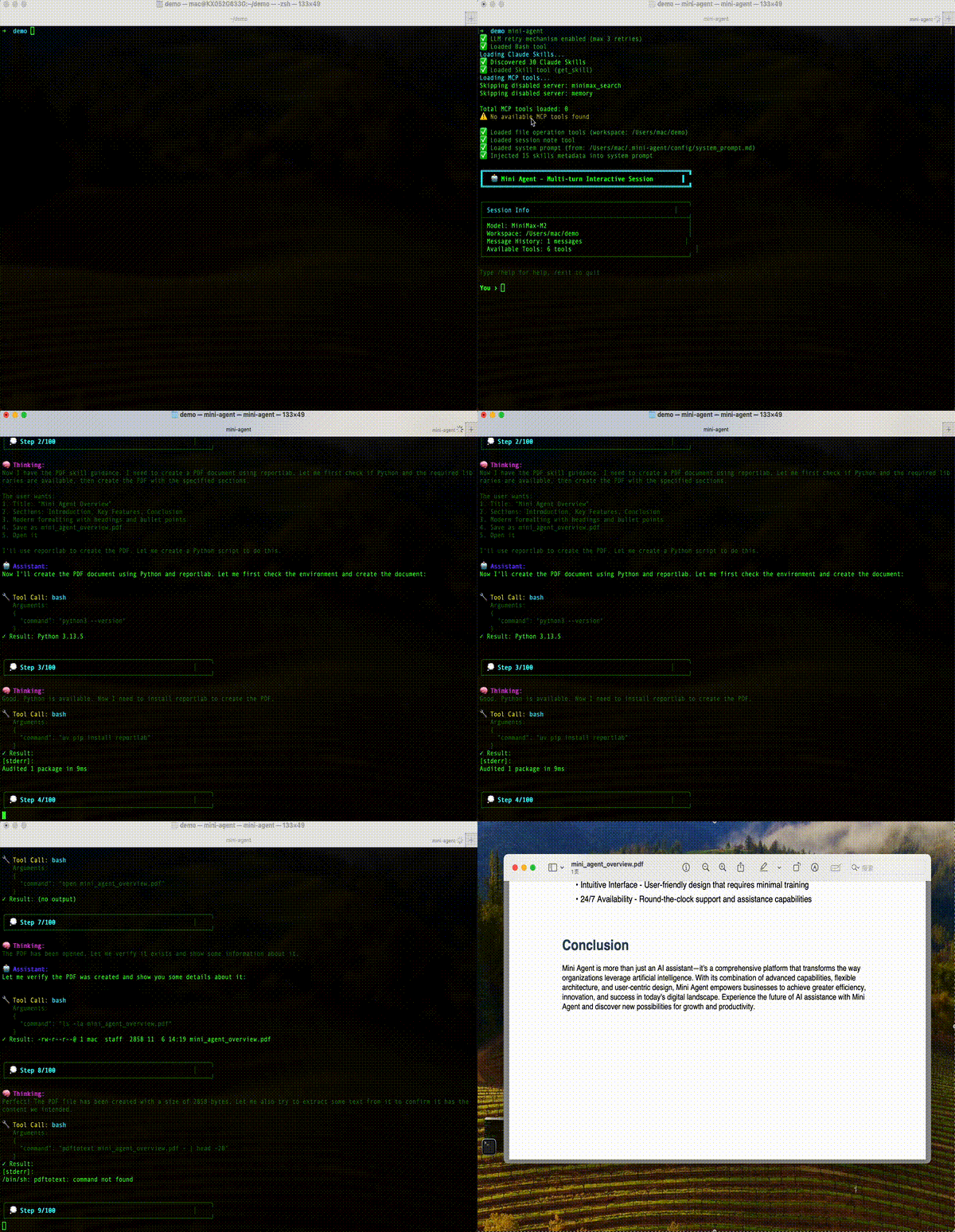
The Agent uses Claude Skill to create professional documents (such as PDF or DOCX) based on user requests, demonstrating its powerful advanced capabilities.
### Web Search and Summary (MCP Tool)
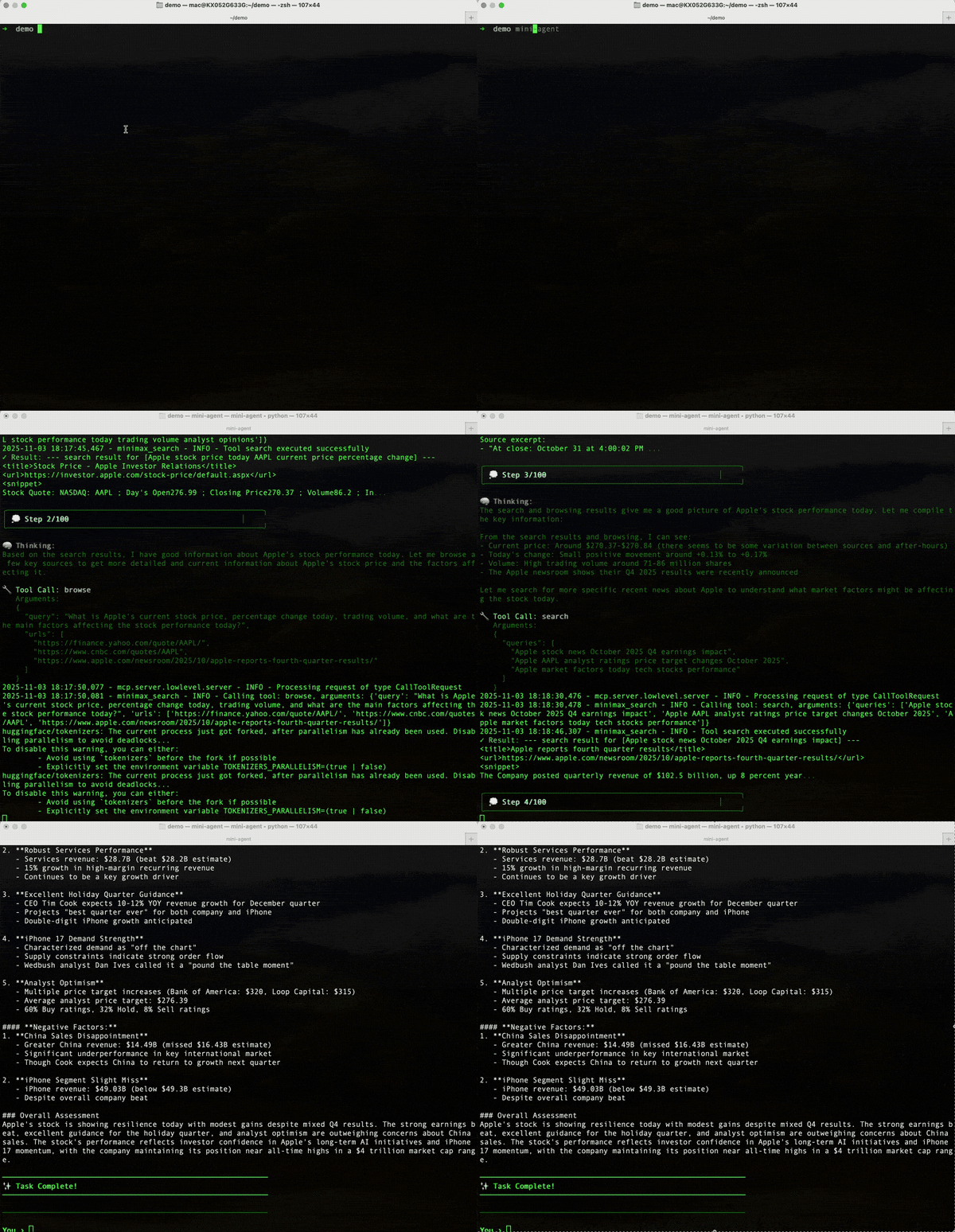
The Agent uses web search tools to find the latest information online and summarize it for the user.
***
## Quick Start
### 1. Install uv
```bash macOS/Linux/WSL theme={null}
curl -LsSf https://astral.sh/uv/install.sh | sh
# After installation, restart terminal or run:
source ~/.bashrc # or ~/.zshrc
```
```powershell Windows theme={null}
powershell -ExecutionPolicy ByPass -c "irm https://astral.sh/uv/install.ps1 | iex"
# Restart PowerShell after installation
```
### 2. Install Mini Agent
```bash theme={null}
uv tool install git+https://github.com/MiniMax-AI/Mini-Agent.git
```
### 3. Run Configuration Script
```bash macOS/Linux theme={null}
curl -fsSL https://raw.githubusercontent.com/MiniMax-AI/Mini-Agent/main/scripts/setup-config.sh | bash
```
```powershell Windows theme={null}
$r=Invoke-WebRequest -Uri "https://raw.githubusercontent.com/MiniMax-AI/Mini-Agent/main/scripts/setup-config.ps1" -UseBasicParsing;[IO.File]::WriteAllText("$env:TEMP\setup-config.ps1",$r.Content,(New-Object Text.UTF8Encoding $true));powershell -ExecutionPolicy Bypass -File "$env:TEMP\setup-config.ps1"
```
### 4. Configure API Key
The configuration script will create a config file in `~/.mini-agent/config/`. Edit this file:
```bash theme={null}
nano ~/.mini-agent/config/config.yaml
```
Enter your API Key and corresponding API Base:
```yaml theme={null}
api_key: "YOUR_API_KEY_HERE" # Enter your API Key
api_base: "https://api.minimax.io"
model: "MiniMax-M3"
```
### 5. Start Using
```bash theme={null}
mini-agent # Use current directory as workspace
mini-agent --workspace /path/to/your/project # Specify workspace directory
mini-agent --version # View version info
# Management commands
uv tool upgrade mini-agent # Upgrade to latest version
uv tool uninstall mini-agent # Uninstall tool
uv tool list # View all installed tools
```
***
## Development Mode
This mode is suitable for developers who need to modify code, add features, or debug.
**Installation and Configuration Steps:**
```bash theme={null}
# 1. Clone repository
git clone https://github.com/MiniMax-AI/Mini-Agent.git
cd Mini-Agent
# 2. Sync dependencies
uv sync
# 3. Initialize Claude Skills (optional)
git submodule update --init --recursive
# 4. Copy configuration template
cp mini_agent/config/config-example.yaml mini_agent/config/config.yaml
# 5. Edit configuration file
vim mini_agent/config/config.yaml
```
Enter your API Key and corresponding API Base:
```yaml theme={null}
api_key: "YOUR_API_KEY_HERE" # Enter your API Key
api_base: "https://api.minimax.io"
model: "MiniMax-M3"
max_steps: 100
workspace_dir: "./workspace"
```
**Running Methods:**
```bash theme={null}
# Method 1: Run as module directly (for debugging)
uv run python -m mini_agent.cli
# Method 2: Install in editable mode (recommended)
uv tool install -e .
mini-agent
mini-agent --workspace /path/to/your/project
```
For more development guidance, please refer to [Development Guide](https://github.com/MiniMax-AI/Mini-Agent/blob/main/docs/DEVELOPMENT_GUIDE_CN.md)
***
## ACP & Zed Editor Integration
Mini Agent supports Agent Communication Protocol (ACP) for integration with code editors like Zed.
**Setting up in Zed Editor:**
1. Install Mini Agent in development mode or tool mode
2. Add the following to your Zed `settings.json`:
```json theme={null}
{
"agent_servers": {
"mini-agent": {
"command": "/path/to/mini-agent-acp"
}
}
}
```
**Command Path:**
* If installed via `uv tool install`: use the output of `which mini-agent-acp`
* Development mode: `./mini_agent/acp/server.py`
**Usage:**
* Use `Ctrl+Shift+P` → "Agent: Toggle Panel" to open Zed's Agent panel
* Select "mini-agent" from the Agent dropdown
* Start chatting with Mini Agent directly in the editor