

Hermes Agent is an open-source self-improving AI agent framework by Nous Research.
Prerequisites
- A MiniMax Subscription Key with Token Plan or Credits access
- A computer with terminal access (macOS, Linux, or Windows with WSL2)

Install Hermes Agent
Hermes Agent is an open-source, self-improving AI agent built by Nous Research. It features persistent cross-session memory, a built-in learning loop, 40+ integrated tools, and multi-platform access (CLI, Telegram, Discord, Slack, WhatsApp). Run the one-line installer in your terminal:Configure MiniMax Token Plan
- Option 1: One-click setup wizard
- Option 2: Manual setup
When using the one-click setup wizard, you can skip the manual installation above and run:Select Hermes Agent. If it is missing, keep Hermes Agent selected in the second multi-select. The wizard runs the official installer’s non-interactive core CLI stages, skips optional flows such as
setup and gateway, and checks hermes --version. It then updates ~/.hermes/config.yaml and ~/.hermes/.env.See One-click setup wizard for command options and backup behavior.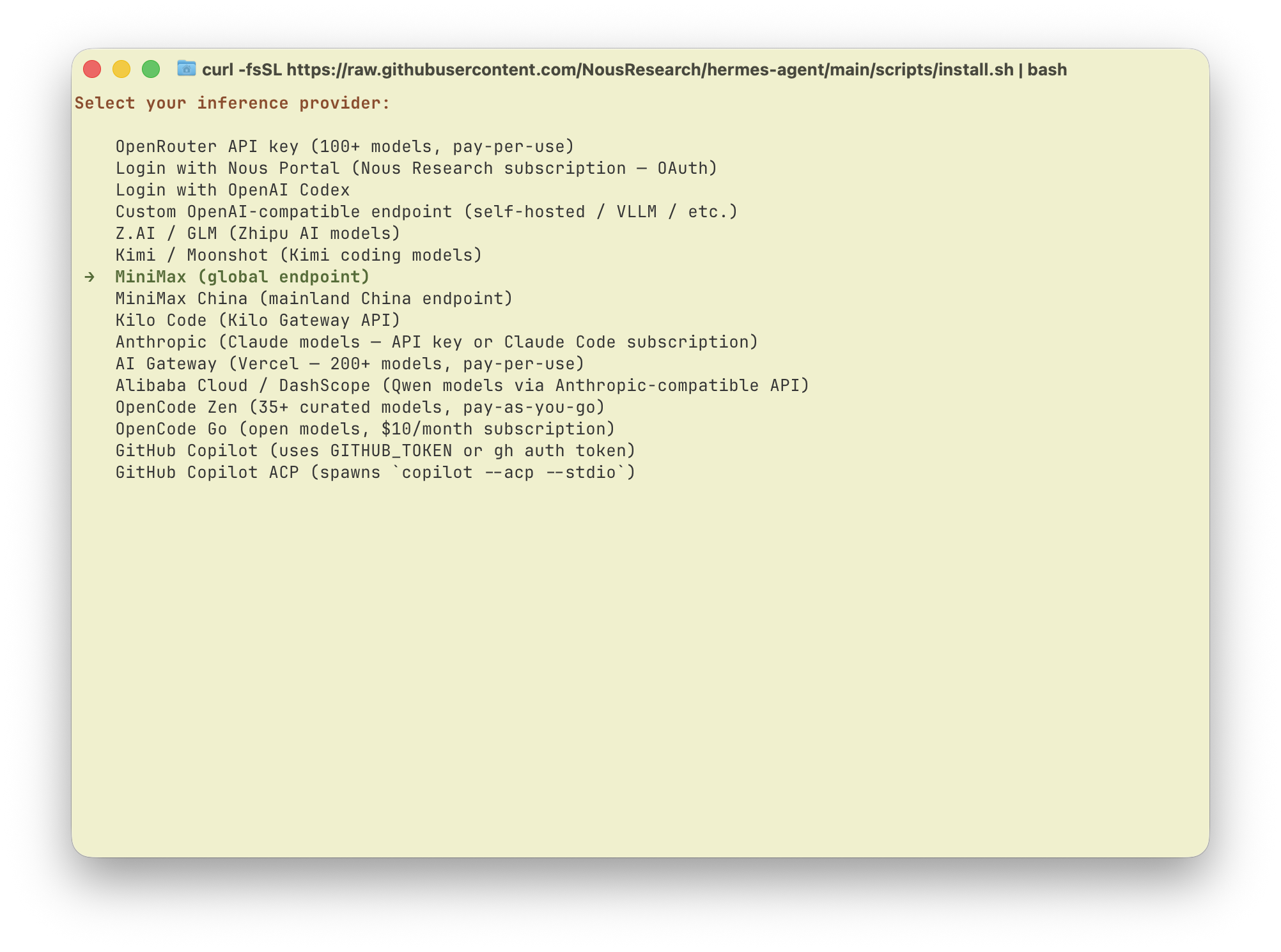

Don’t have resources yet? View your Subscription Key on the Token Plan page, then buy a Token Plan subscription or Credits, or use resources assigned by your Team. Subscription Keys are different from pay-as-you-go API Keys.
Start Using Hermes Agent
Runhermes to start talking with Hermes Agent powered by the latest MiniMax M-series models.
Toggle thinking
Toggle thinking at runtime with/reasoning: none turns it off, any other level (minimal/low/medium/high/xhigh) turns it on.