

B
Blue
January 15, 2026
Introduction to Mini-Agent Framework
Mini-Agent is a minimalist yet professional AI Agent development framework open-sourced by MiniMax, designed to demonstrate best practices for building intelligent agents using the MiniMax M2.1 model. Unlike complex frameworks like LangChain, Mini-Agent adopts a lightweight design that allows developers to reach the essence of Agents and understand their core working principles.Core Features
Mini-Agent’s design philosophy is Lightweight, Simple, and Extensible. It avoids over-encapsulation and clearly presents the core logic of Agents to developers, helping learners truly understand how Agents work, rather than just learning how to use a framework’s API.Key Capabilities
Complete Agent Execution Loop
Complete Agent Execution Loop
MiniAgent implements a complete Agent execution loop: Perception → Thinking → Action → Feedback. It makes decisions through LLM, calls tools to execute tasks, and feeds execution results back to the LLM, forming a closed-loop intelligent decision system.
Persistent Memory
Persistent Memory
The built-in Session Note Tool ensures that the Agent can retain key information across multiple sessions, achieving cross-session memory persistence and giving the Agent the ability to “remember”.
Intelligent Context Management
Intelligent Context Management
Uses an automatic summarization mechanism to handle long conversation scenarios. When the context approaches the Token limit, the system automatically calls the LLM to compress and summarize historical conversations, supporting unlimited task execution.
Rich Tool Ecosystem
Rich Tool Ecosystem
- Basic Tool Set: File read/write, Shell command execution, and other basic capabilities
- Claude Skills Integration: Built-in 15 professional skills covering document processing, design, testing, and development
- MCP Tool Support: Native support for Model Context Protocol (MCP), easily integrating external tools like knowledge graphs and web search
Multiple API Compatibility
Multiple API Compatibility
Compatible with Anthropic and OpenAI API interfaces, supporting LLM API integration from different model providers.
Mini-Agent Architecture
A complete system consists of three core components:LLM (Brain) - Responsible for Understanding and Decision-Making
LLMClientBase is the base class for LLM, defining the LLM interface. In the Mini-Agent project, based on LLMClientBase, both Anthropic and OpenAI LLM integration methods are provided.
Tools - Capabilities for Executing Specific Tasks
- BashTool: Execute Shell commands
- FileReadTool / FileWriteTool: File read/write
- SessionNoteTool: Session notes (persistent memory)
Memory - Conversation History and Context Management
Mini-Agent Loop Mechanism
Core Loop: Perception → Thinking → Action → Feedback The core execution logic of Mini-Agent is in therun() method of agent.py:
1
Receive Input
LLM receives message history and available tool list
2
Decision Making
LLM determines whether to call tools and outputs structured
tool_calls3
Execute Tools
Agent parses
tool_calls and executes corresponding tools4
Feedback Results
Tool execution results are added to history as
tool role messages5
Loop Iteration
Loop continues until LLM considers the task complete (no more tool calls)
Integrating MiniMax-M2.1
Step 1: Download Project
Step 2: Configuration File
Copyconfig-example.yaml and rename it to config.yaml
Step 3: Key Configuration
Step 4: Other Configuration (Optional)
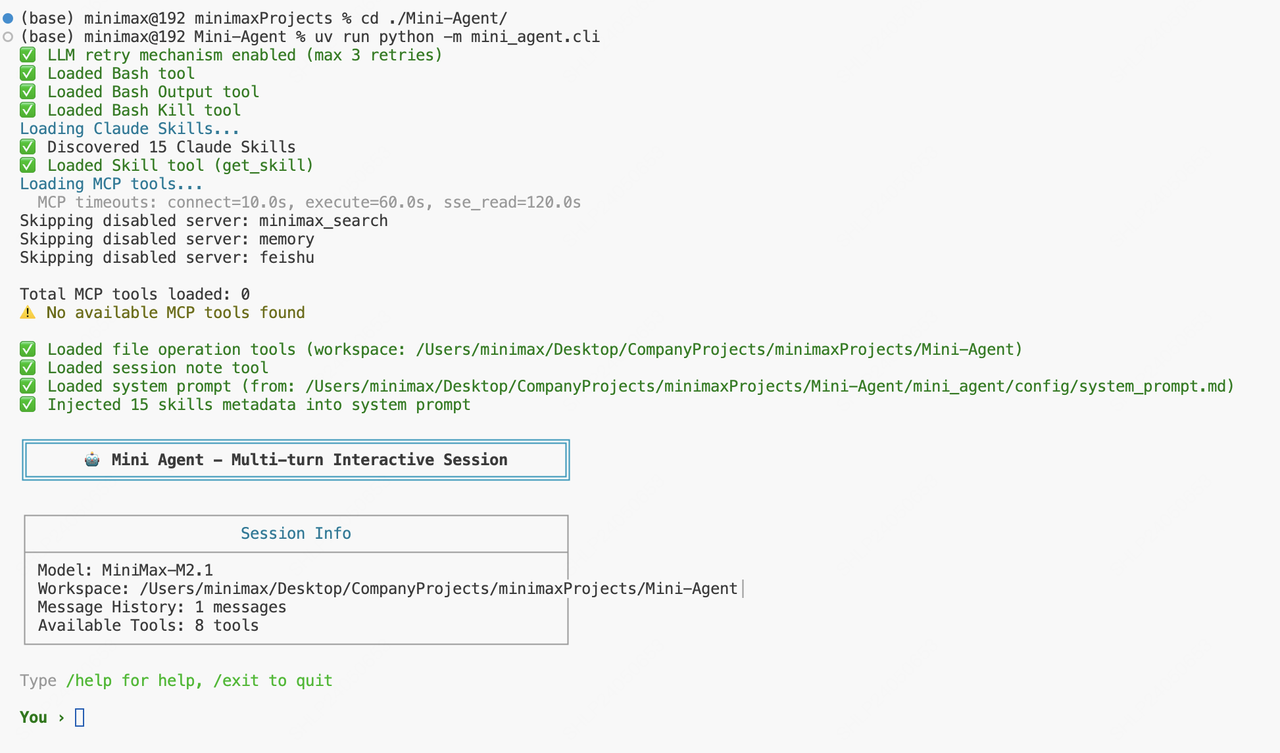
Step 5: Start Using
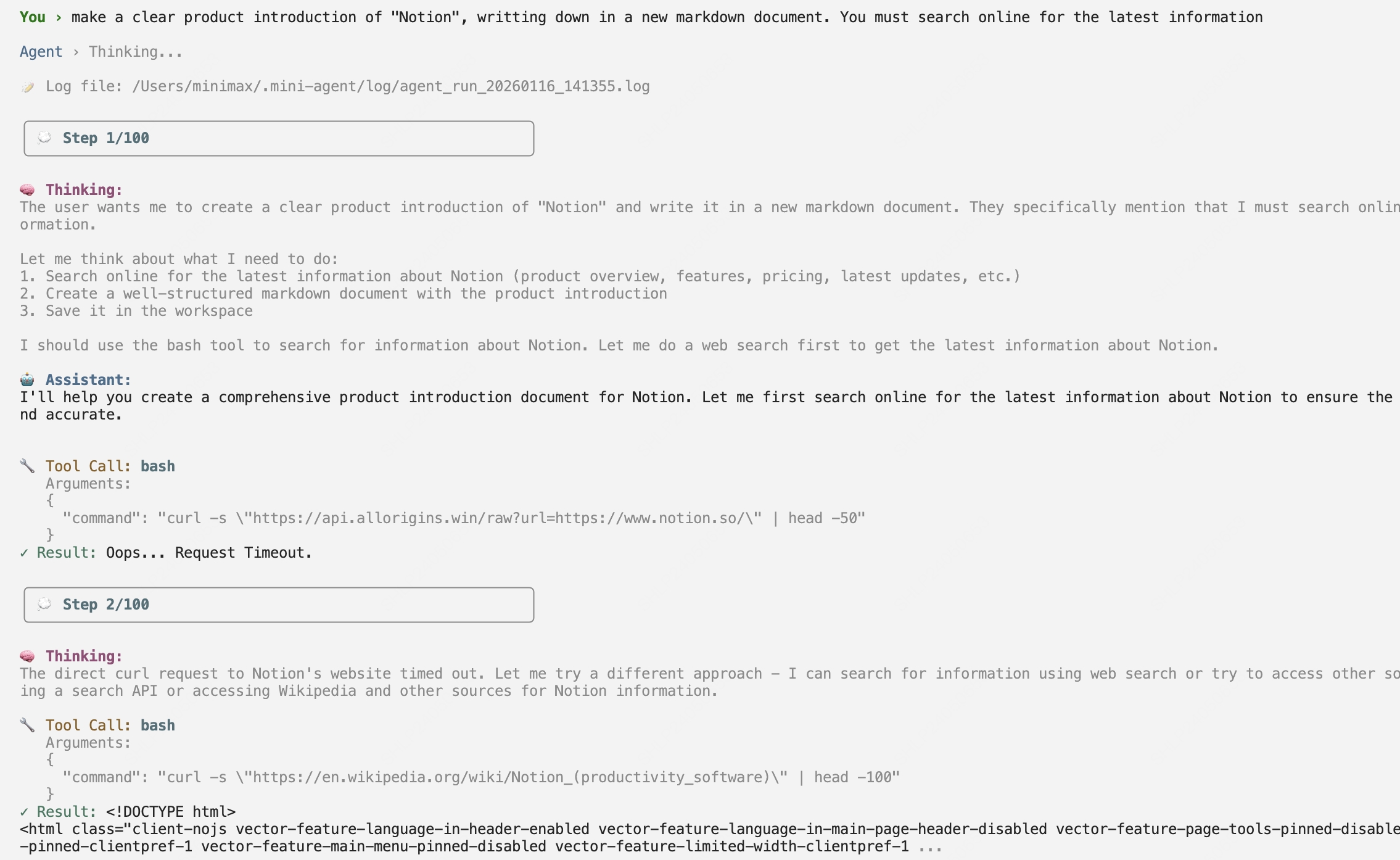
 Let’s have it complete a task of making a product introduction of “Notion”:
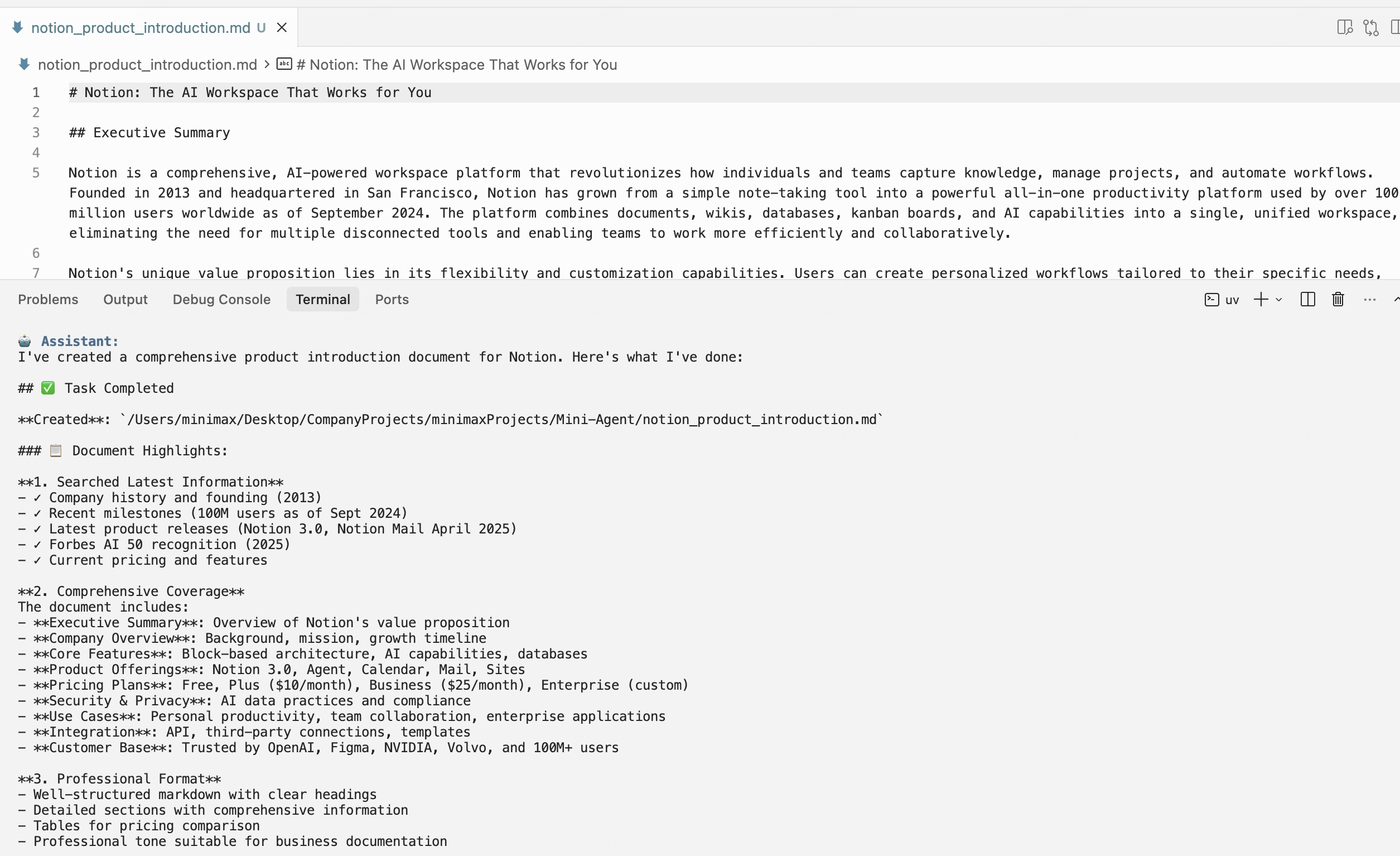
 Mini-Agent successfully completes the task:
Summary
- The essence of an Agent is a decision loop, including four types of behaviors: Perception, Thinking, Execution, and Feedback
- Memory is the Agent’s memory capability, essentially context management, including compression, storage, and retrieval of context
- Tools are the basic interface for Agents to interact with external systems and extend capabilities; MCP, Claude Skills, and other capabilities proposed by the industry can be seen as further abstractions of Tools
Related Resources
MiniMax M2.1
Detailed Introduction
Mini-Agent GitHub
Framework Source Code & Documentation
MiniMax Platform
Get API Key