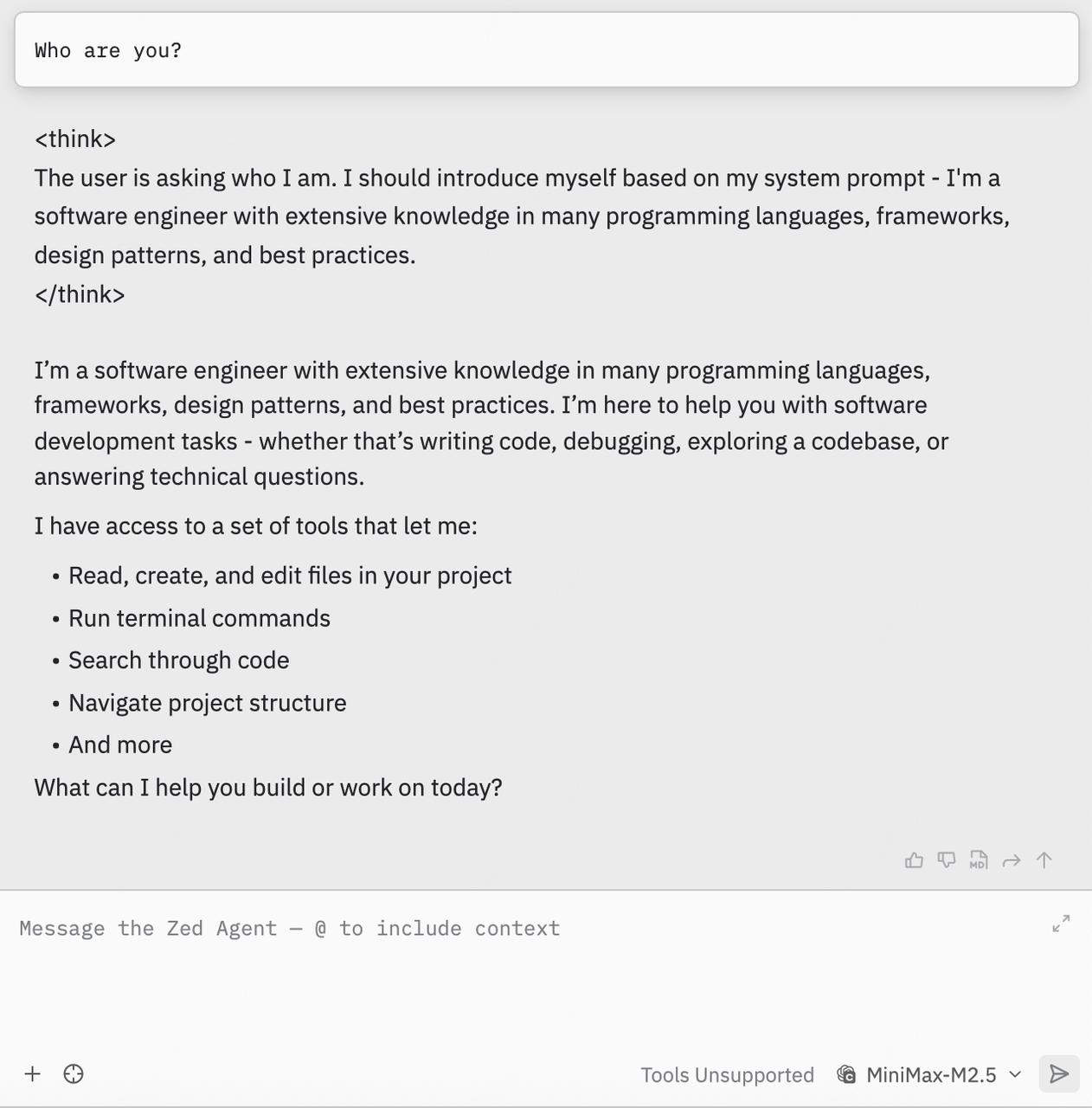
Documentation Index
Fetch the complete documentation index at: https://platform.minimax.io/docs/llms.txt
Use this file to discover all available pages before exploring further.
Install Zed
Follow the Zed official documentation to complete the Zed installation and configuration.Configure MiniMax API

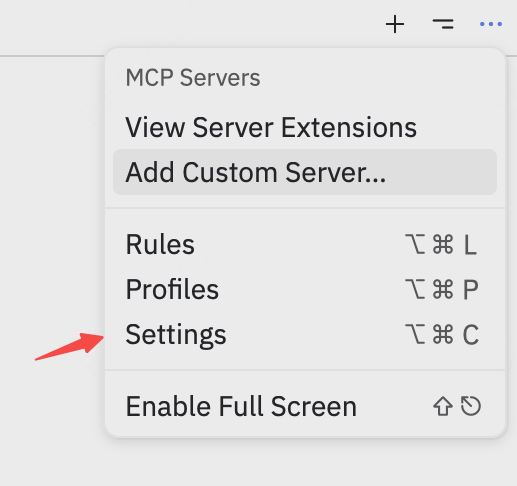
Add LLM Provider
Find the LLM Provider section, click +Add Provider and select OpenAI from the dropdown menu: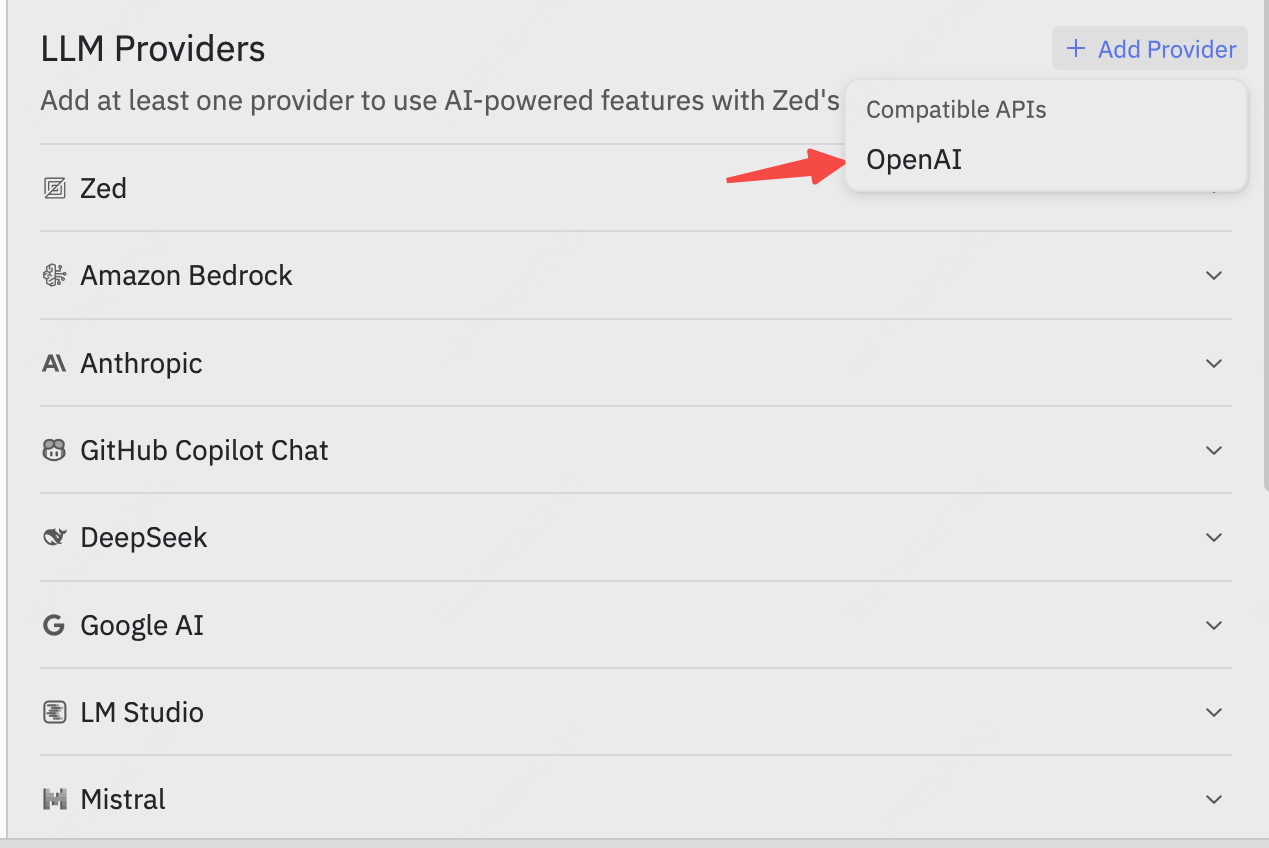
Fill in Configuration
Enter the configuration panel and fill in the following information:
Adjust other configurations according to your needs.Complete configuration reference: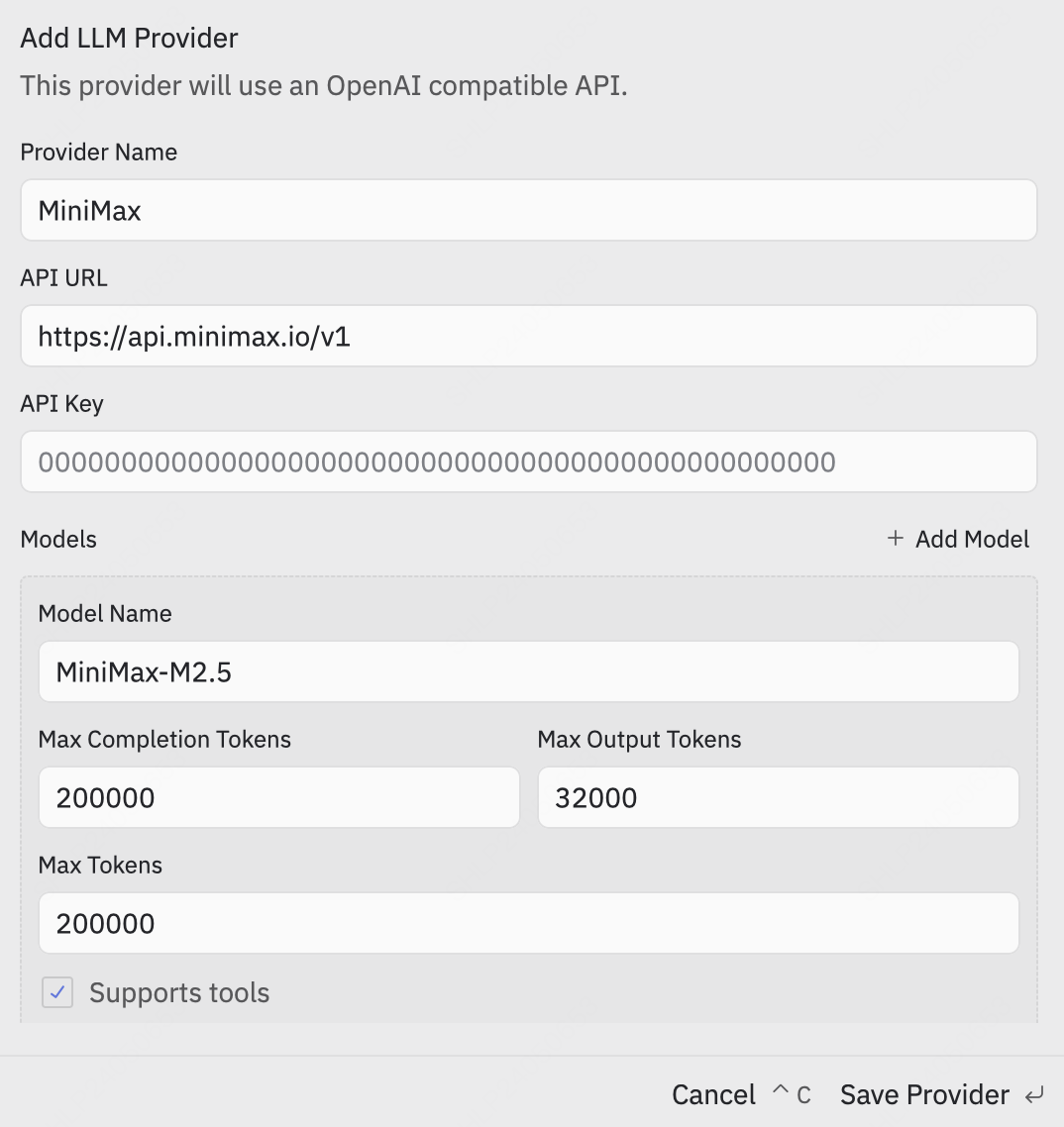
| Configuration | Value |
|---|---|
| Provider Name | Set as needed |
| API URL | https://api.minimax.io/v1 |
| API Key | Your API Key from the platform. Refer to Quick Start for details |
| Model Name | MiniMax-M2.7 |
Save Configuration
Click Save Provider to save. The LLM Provider now includes MiniMax. Click MiniMax, enter your API Key again, and press
Enter to save.